
🌐Overview
External referrals are often used for:
-
Tracking referral sources for marketing and reporting.
-
Maintaining contact details of outside practitioners or organizations.
-
Linking referred cases directly during service entry or patient registration.
Each referral record includes key details such as name, contact information, and referral type — all stored centrally for reuse across the system.
🧭 Navigation Path
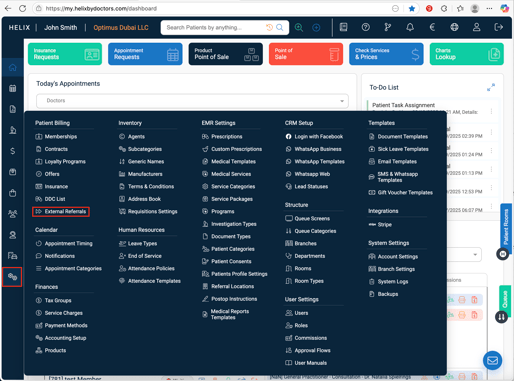
Control Panel → Patient Billing → External Referrals
🪜 How to Add a New External Referrer
-
Click ➕ Add (top-right).
-
Fill in the required and optional fields:
-
Name – required; full name of the referrer.
-
Type – choose between Business (clinic, hospital, organization) or Individual (doctor or practitioner).
-
(Optional) Clinic Name, Mobile / Secondary Mobile, Email / Secondary Email, and Address – to store full contact details.
-
-
Click Submit to save.
✅ The new referral appears in the directory list.
🔗 Where External Referrals Are Used
You can attach an external referrer in two places:
-
In the Patient Profile under referral details.
-
While adding a service to a patient’s visit, to indicate which external doctor or clinic referred the case.
This helps maintain traceability for both clinical and commercial reporting.
💡 Pro Tips
-
Keep contact details complete — this improves referral tracking in CRM and reports.
-
Use “Type = Business” for institutions and “Individual” for referring doctors.
-
Periodically review and update referral contacts to keep your database clean.