
Audience: Nurses
Purpose: Guide nurses through recording vital signs, chief complaints, and nursing notes during patient screening.
When to Perform This Step
This process is required as part of the screening phase for each admitted patient. It is a Healthcare Authority requirement to record vital signs once per visit.
Steps: Recording Vital Signs and Screening Information
-
Log into Helix with your nurse credentials
-
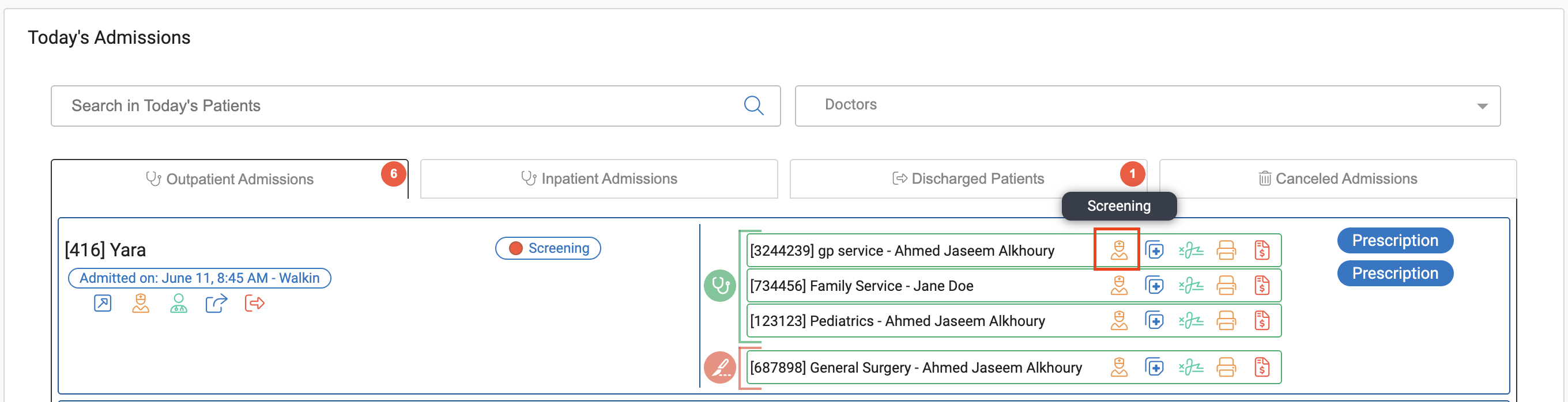
In the Today’s Admissions section, locate the patient
-
Click the “Screening” button next to the patient’s listed service
-
A screening tab will open on top of the home screen
-
You can move it to a new browser tab using the blue button (top right)
-
You can close it using the red X button (top right)
-
-
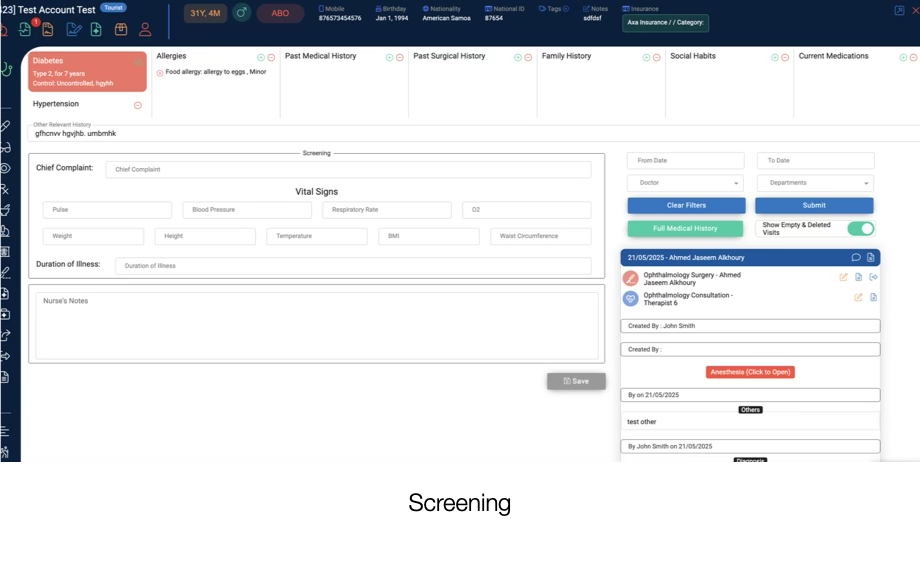
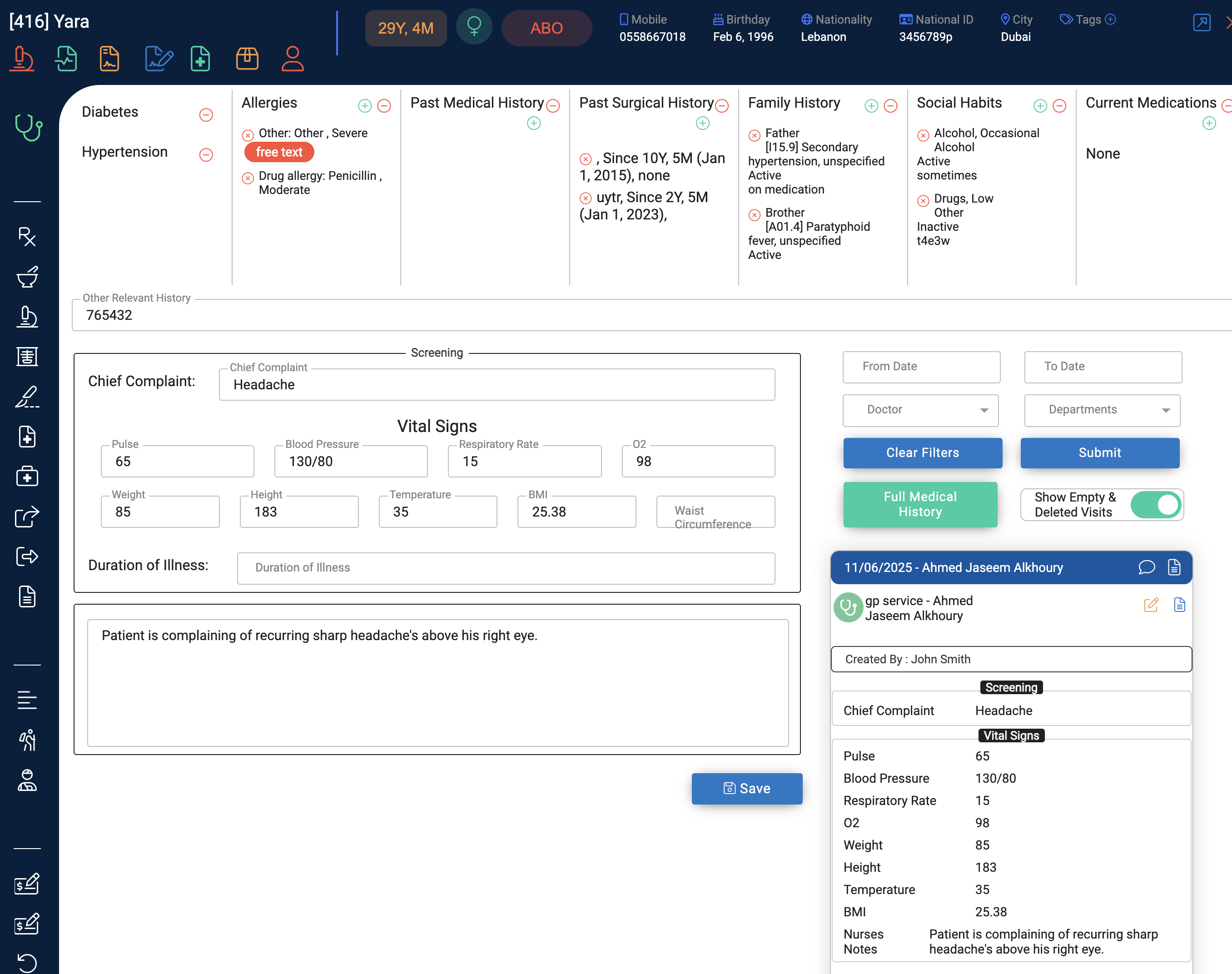
Fill in the following in the screening section:
-
Vital Signs (pulse, blood pressure, O2 saturation, temperature, etc.)
-
Chief Complaint (brief description of why the patient is visiting)
-
Duration of Illness
-
Nursing Notes (any observations or notes to the doctor)
-
-
Once entered, confirm that the visit summary on the right side reflects your notes — this means data is saved
-
You may now close the screening tab
-
Return to Today’s Admissions and click “Send to Doctor” once the patient enters the consultation room
Notes & Best Practices
-
Only one nurse needs to record vital signs per visit, even if the patient is seeing multiple providers
-
Ensure the notes are clear and relevant to support clinical documentation
-
Always double-check that the summary is updated before exiting the tab
Compliance Reminder
Recording vital signs is a regulatory requirement. Failure to complete this step can result in audit flags or patient safety issues. Always ensure it’s done before the patient proceeds to the doctor.