
Audience: Doctors, Therapists, and other licensed healthcare providers
Purpose: Guide medical users on configuring their professional stamp and digital signature within the Helix platform.
Access Requirements
This section can only be completed when logged in using the medical provider’s personal account.
Administrative users cannot update these fields on behalf of a doctor or therapist.
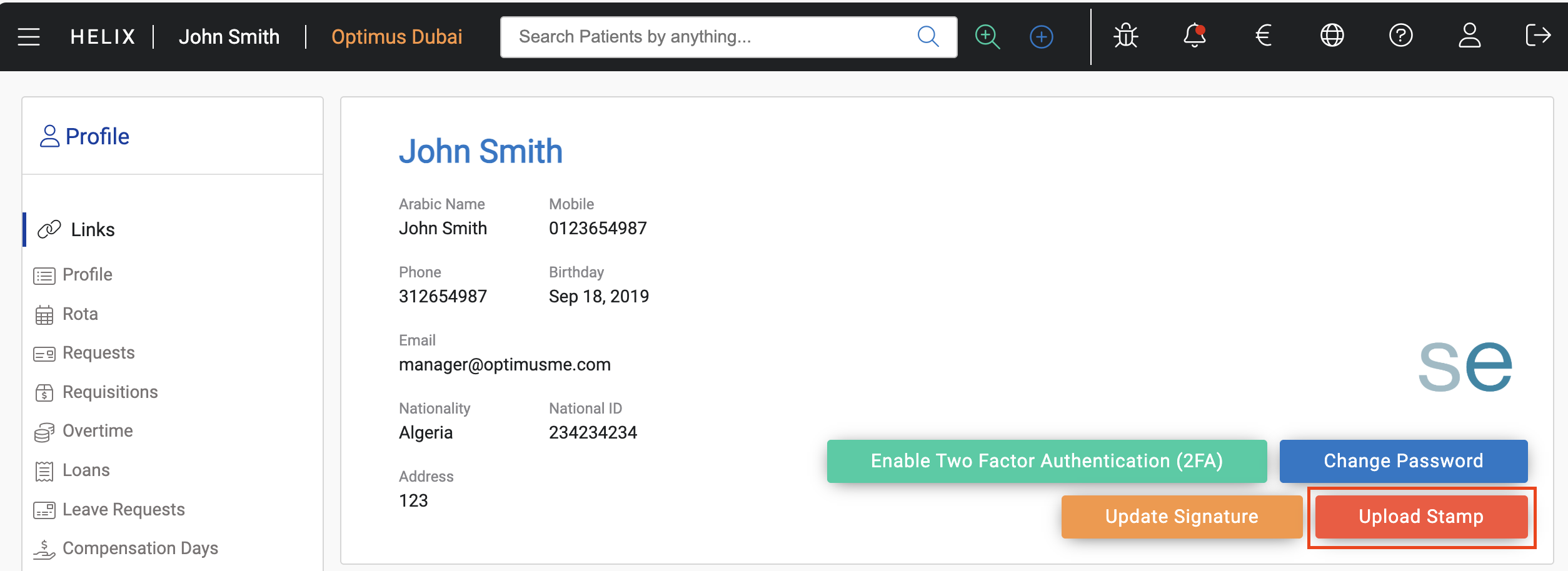
Uploading Your Medical Stamp
Helix allows service providers to upload their official stamp, which will appear on reports, prescriptions, and medical documents.
Steps:
-
Click on your username in the top navigation bar
-
Select “Profile” from the dropdown
-
Click “Upload Stamp”
-
Choose a clear PNG file of your official medical stamp
-
Click Upload to save it
Tip: Use a transparent background and high-resolution scan for best results.
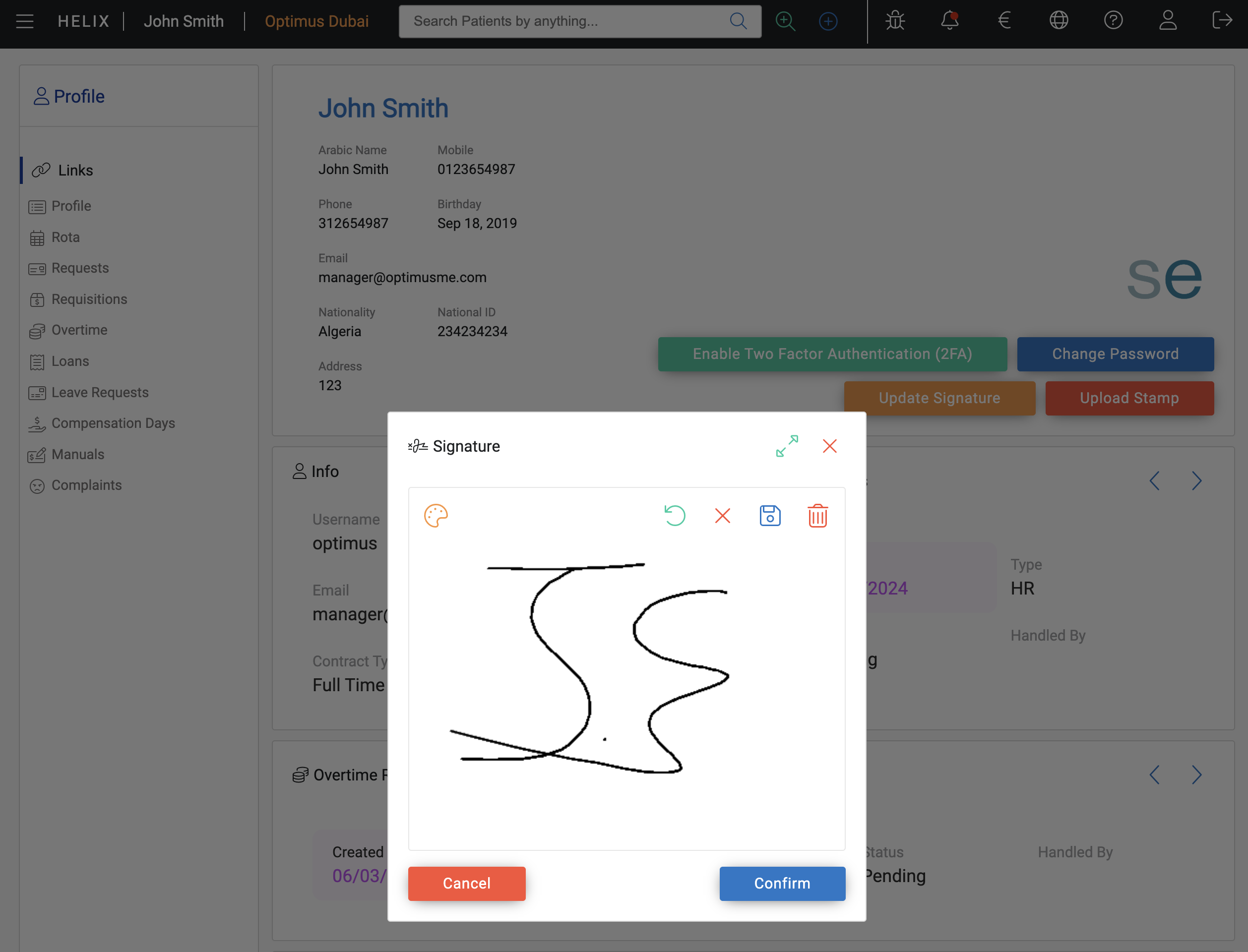
Updating Your Signature
Helix allows you to store a digital version of your signature, which appears alongside your stamp in clinical documents.
Steps:
-
In the Profile menu, click “Update Signature”
-
In the window that opens, use your mouse (or stylus if using tablet) to sign clearly in the white box
-
Click “Update Signature” to save it
Tip: For best results, log into Helix on an iPad and sign using an Apple Pencil or stylus.
Finalising Updates
Once your stamp and signature are uploaded:
-
Log out of your account
-
Log back in to ensure the updates take effect across the system
These will now appear on printed prescriptions, patient reports, and referral letters where applicable.
Important Notes
-
Only PNG files are supported for stamp uploads.
-
You are responsible for ensuring the accuracy of your uploaded stamp and signature.
-
If changes are needed after uploading, you can re-upload using the same process.
-
These settings are only accessible to the provider’s user account — admins cannot modify them.